Synthetic data generation
from a few labeled objects.

Synthetic data generation in Supervisely turns a few labeled objects into new training data. Apps paste augmented copies of your objects onto backgrounds, so every generated image or video is labeled for detection, segmentation or tracking.

Label a few objects, not the whole dataset.

Labeling is usually the slowest part of training a model, and every new scenario adds more of it. Synthetic data turns most of that work into settings you can change and run again.

Synthetic data
Manual labeling

Labels come with every image

The app places each object itself, so it knows every label exactly. People label a few examples instead of every image.

Every image is labeled by hand

People outline every object on every image. It costs time and money, and people make mistakes.

A new scenario is a new setting

Add backgrounds, change object counts or augmentations, and generate the dataset again.

A new scenario means more labeling

New conditions, new objects or a new camera send the team back to labeling.

Mistakes are fixed by regenerating

If something is off, correct the settings and regenerate the whole dataset.

Mistakes are fixed by hand

An error found late means finding and correcting labels image by image.

Variety matters more than realism

The real world cannot be simulated perfectly. It works better to randomize backgrounds, positions and colors so that the model learns to adapt, an approach known as domain randomization.

What we learned training on synthetic data

Not sure it fits your task?

Synthetic data does not suit every task. Tell us about yours, and our team will help you find out.

Talk to an expert

From a few labeled seeds to a labeled dataset.

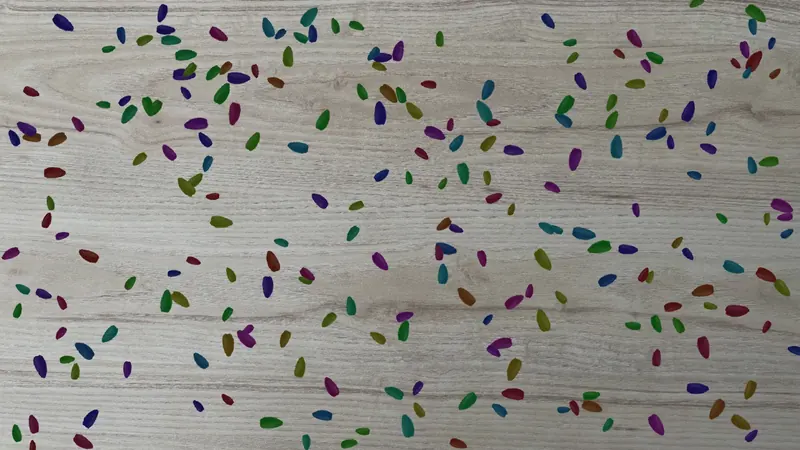
An example from our team: an instance segmentation dataset of seeds, generated with the Flying objects app. The same pipeline works for other tasks, such as microbe or pathology detection.

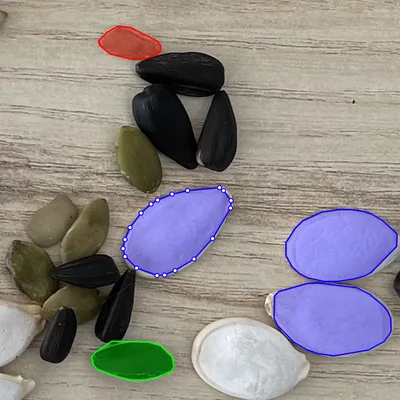
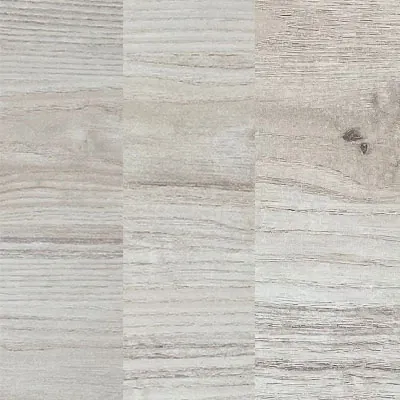
  1. Seeds of the three classes outlined with polygons on one of the example's photos Photos of the empty wooden surface, used as backgrounds
    01

    Label a few objects, add backgrounds

    Outline some objects with polygons or masks, or take labeled objects from another source. Typical backgrounds are easy to find or generate. Under 70 photos covered every case here.

  2. augs.yaml
    objects:
      count: [200, 300]  # objects per image
      visibility: 0.8    # share left uncovered
      augs:
        color:
          RandomBrightnessContrast: true
          CLAHE: true
          Blur: true
    02

    Configure and preview

    Run Flying objects from the project’s context menu, pick the classes and background images, set augmentations in YAML and preview a random result.

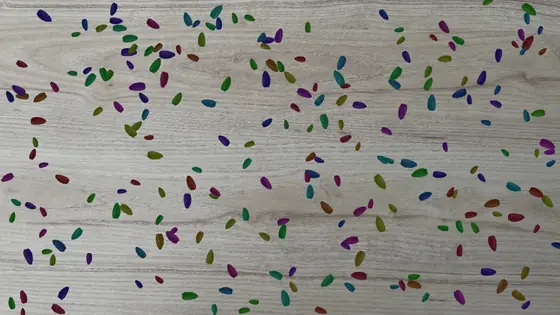
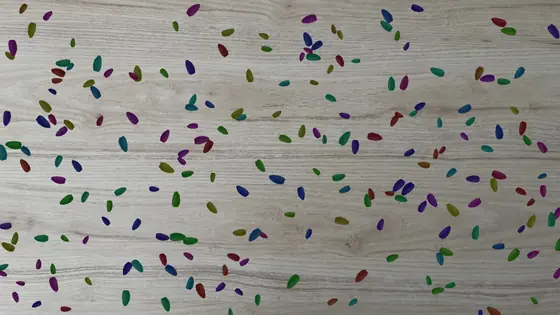
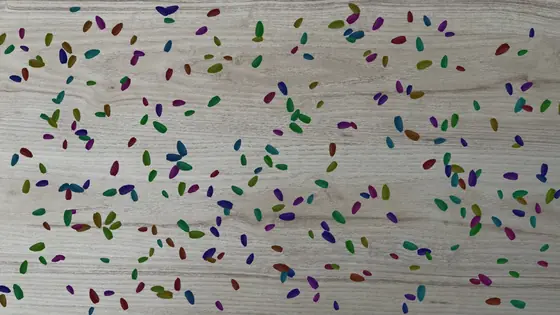
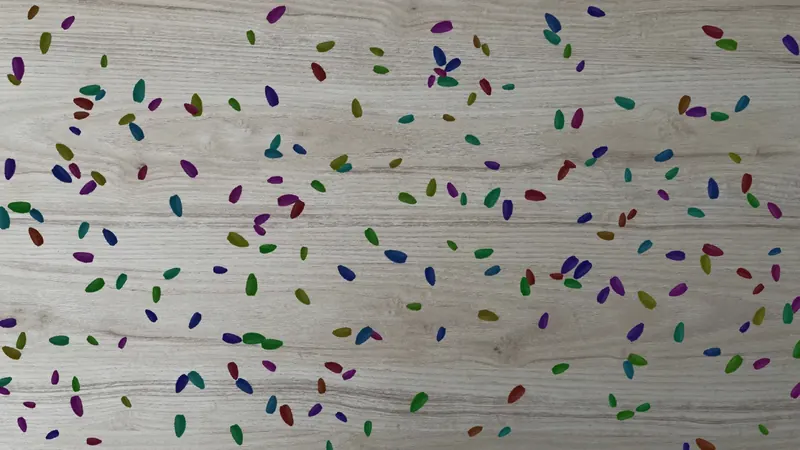
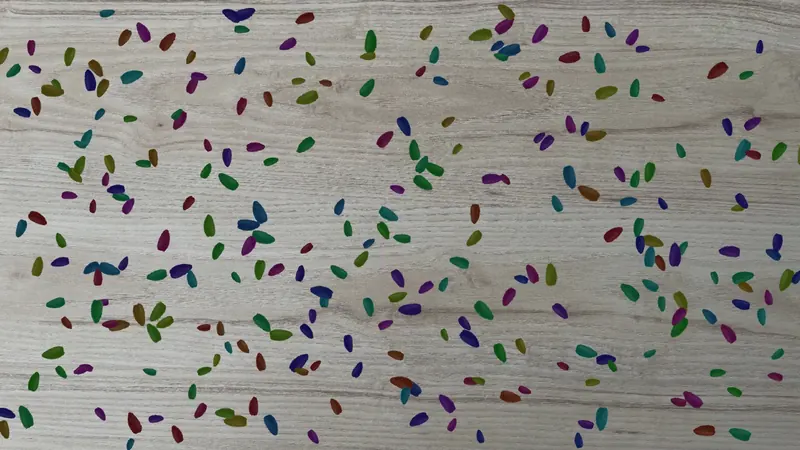
  3. Generated image of seeds on a wooden surface, with an instance mask for each seed
    03

    Generate a labeled dataset

    The app saves the new images with their labels to a new or existing project. Check the results and start training.

Copy-paste augmentation that keeps every label exact.

Flying objects makes synthetic training data for object detection, semantic segmentation and instance segmentation, and checks every object it pastes.

  • Overlaps handled automatically

    Every object stays at least 80% visible by default, a threshold you can change. Objects that cannot be placed this way are skipped, and hidden parts are cut from the labels.

  • Polygons and masks in, any task out

    Paste objects labeled with polygons or masks, the shapes that let the app check overlaps. Get one mask per class, bounding boxes or a mask for every object.

  • Augmented one by one

    Every pasted object gets its own color augmentations from Albumentations, flips, rotation and resizing from ImgAug, and soft edges and opacity that blend it into the background.

  • Paste onto labeled images too

    Take backgrounds from any project or dataset. Their polygon and mask labels of the selected classes can be kept and merged with the new ones, which makes it copy-paste augmentation for real labeled data.

  • Preview, then generate

    Check a random preview, then generate up to 1,000 images per run into a new or existing project, and keep each experiment in its own dataset.

Flying objects · 3. Augmentations
objects:  # objects per image, for every class  count: [200, 300]  # min visible share of each object  visibility: 0.8  # soft edges and transparency  edge_smoothing_ksize: [5, 9]  opacity: [0.8, 1.0]  augs:    color:      # Albumentations      RandomBrightnessContrast: true      CLAHE: true      Blur: true    spatial:    # ImgAug      Fliplr: 0.5      Flipud: 0.5      Rotate: (-90, 90)      Resize: (0.8, 1.5)

Ready-made generators for more tasks.

Two more apps make data for product recognition and object tracking, and our research on cracks shows how far synthetic data can go.

Classification · Segmentation

Retail products on shelves

Synthetic retail products turns one tagged example per product into training and validation images, with random background colors, rotation, elastic distortion and other products partly covering it. Each product gets its own dataset of up to 10,000 training images.

Synthetic retail products
Tracking · Video

Videos for object tracking

Synthetic videos for tracking moves labeled objects over a fixed background along straight or random paths, and saves every video with a bounding box track for each object. You set the speed, the allowed overlap, 10 to 60 FPS and the duration.

Synthetic videos for tracking
Semantic segmentation

Cracks and other thin structures

For thin, branching objects, our team generated cracks procedurally and drew them onto about 200 photos of asphalt, concrete, walls and other materials. The result is the Cracks Synthetic Dataset in the Ecosystem.

Cracks Synthetic Dataset

Crack segmentation without hand-labeled training images

A model trained only on our synthetic cracks came close to one trained on 628 hand-labeled photos. With 628 real photos added without labels through HRDA domain adaptation, a larger model trained this way went past that reference.

  • 1,558 synthetic images labeled automatically, with cracks drawn over real textures
  • 628 real photos added without labels, for domain adaptation with HRDA
  • 70 labeled photos used only to check the model on real data

Generated data works like any other project.

Synthetic images are saved to a regular project, so the labeling, data and model tools of the platform work on them as on real data. See the platform overview.

Label the first objects

Polygons, brushes and the Smart Tool, which turns a box and a few clicks into a precise mask.

Augment and transform

Filter images, convert shapes and apply classic augmentations to whole datasets in ML Pipelines.

Train and deploy

Train detection and segmentation models on the generated project, then put them to work.

Check on real data

Evaluate models on real labeled images, with reports that compare checkpoints.

Frequently asked questions.

What is synthetic data generation in computer vision?

It is making training images with a program instead of photographing and labeling them by hand. Because the program places every object itself, each generated image comes with exact labels. In Supervisely, apps do this by pasting augmented copies of labeled objects onto background images.

Which tasks can I generate synthetic training data for in Supervisely?

Object detection, semantic segmentation and instance segmentation with the Flying objects app, classification and segmentation of retail products with Synthetic retail products, and object tracking in video with Synthetic videos for tracking. Each app runs from the context menu of an images project.

What is copy-paste augmentation?

Copy-paste augmentation cuts labeled objects out of some images and pastes them into others, which gives new training examples with known labels. Flying objects pastes objects labeled with polygons or masks onto empty backgrounds or onto labeled images, and can keep the labels those images already have.

How is synthetic data different from data augmentation?

Augmentation changes images you already have, for example by flipping, cropping or blurring them. Synthetic data generation composes new images from labeled objects and backgrounds. The two work together: Flying objects augments every object it pastes, and ML Pipelines augment whole datasets.

How many labeled images do I need to start?

Far fewer than for a dataset labeled by hand. In our seeds example, under 70 photos covered every case. Label the objects with polygons or masks: these are the shapes that let the app check overlaps and keep every label exact.

Does a model trained on synthetic data work on real images?

It can, if the synthetic data is varied enough, and it should always be checked on real labeled images. In our crack segmentation research, a model trained only on synthetic images came close to one trained on 628 hand-labeled photos. With HRDA domain adaptation and 628 real photos added without labels, a larger model went past it. Read the research.