

Secure data annotation
with SSO, roles and audit logs.
Supervisely controls access to your data with role-based permissions in every team and an activity log of every action. Enterprise adds single sign-on through OpenID Connect or LDAP and runs on your own servers, even offline.
Single sign-on with the identity provider you already use.
In the Enterprise edition, people sign in to Supervisely with their company accounts. An admin connects the provider in Instance settings, under Authorization, or in a configuration file.
OpenID Connect
Microsoft Entra ID (formerly Azure Active Directory), Okta and other OpenID Connect providers. Supervisely needs the provider’s metadata URL, a client ID and a client secret.
LDAP
Your company directory, reached with a server URL, a bind DN and its credentials, a search filter and a search base.
The superadmin account, admin, always signs in with its password, so a wrong SSO setting can’t lock you out of the instance.
# openid.ymlmicrosoft:metadata_url: https://login.microsoftonline.com/<tenant-id>/.well-known/openid-configurationclient_id: <client-id>client_secret: <client-secret>login_label: Sign in with Microsoft# Redirect URI to add in Microsoft Entra ID:# https://<your-domain>/api/account/auth/microsoft/callback# openid.ymlokta:metadata_url: https://<subdomain>.okta.comclient_id: <client-id>client_secret: <client-secret>login_label: Sign in with Okta# Sign-in redirect URI to add in Okta:# https://<your-domain>/api/account/auth/okta/callback# docker-compose.override.ymlservices:api:environment:LDAP_SERVER_URL: ldap://example:389LDAP_BIND_DN: cn=rootLDAP_DN_CREDENTIALS: secretLDAP_SEARCH_FILTER: (uid={{username}})LDAP_SEARCH_BASE: dc=example, dc=orgAuthorization settings
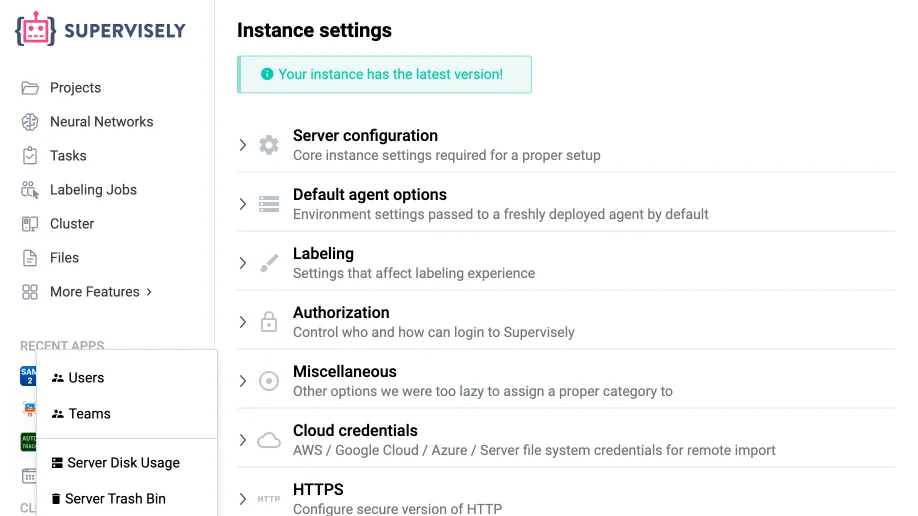
The same section of Instance settings decides how everyone signs in, with SSO or without it.
Role-based access control in every team.
Give everyone only the access their work needs. Each team member has a role that decides what they can open, create, edit or remove, and the same person can be an Admin in one team and an Annotator in another.
-
Admin
Full access to the team. Invites and removes members, and can remove anything other members created.
-
Developer
Works like an Admin, but can’t invite members and can remove only what they created.
-
Manager
Views and edits projects and labeling jobs, with no access to neural networks.
-
Reviewer
Works like an Annotator and can also create labeling jobs.
-
Annotator
Has access to a single page: Labeling Jobs.
-
Viewer
Can only view items in the team.
- Every team has at least one Admin and can have more.
- With Enterprise, add custom roles and choose what each one can create, edit or remove.
- Annotators and Reviewers get their work through labeling jobs: see user collaboration.
Every action is on record in the activity log.
The activity log is your team’s audit trail: who did what and when, from signing in to labeling a single object. The full activity log is part of the Pro and Enterprise plans.
-
Who, what and when
Each record has the date, the member, the action and what it touched: a project, dataset, image, labeling job or member.
-
Every kind of change
Sign-ins to teams; projects, datasets, images, objects, classes and tags created, edited or removed; members added or removed; exports, training and inference.
-
Statistics for every member
Charts of editing time, time in the labeling tool, completed jobs, labeled images and objects, and reviewed images.
-
Export to CSV or read through the API
Download the log of a team, project, labeling job or member as a CSV file, or query it through the API by member, project, job, action and dates.
Manage every account on your instance from the admin panel.
On an Enterprise instance, administrators see every user, create accounts and decide what each person may do across the instance, on top of their roles in teams.
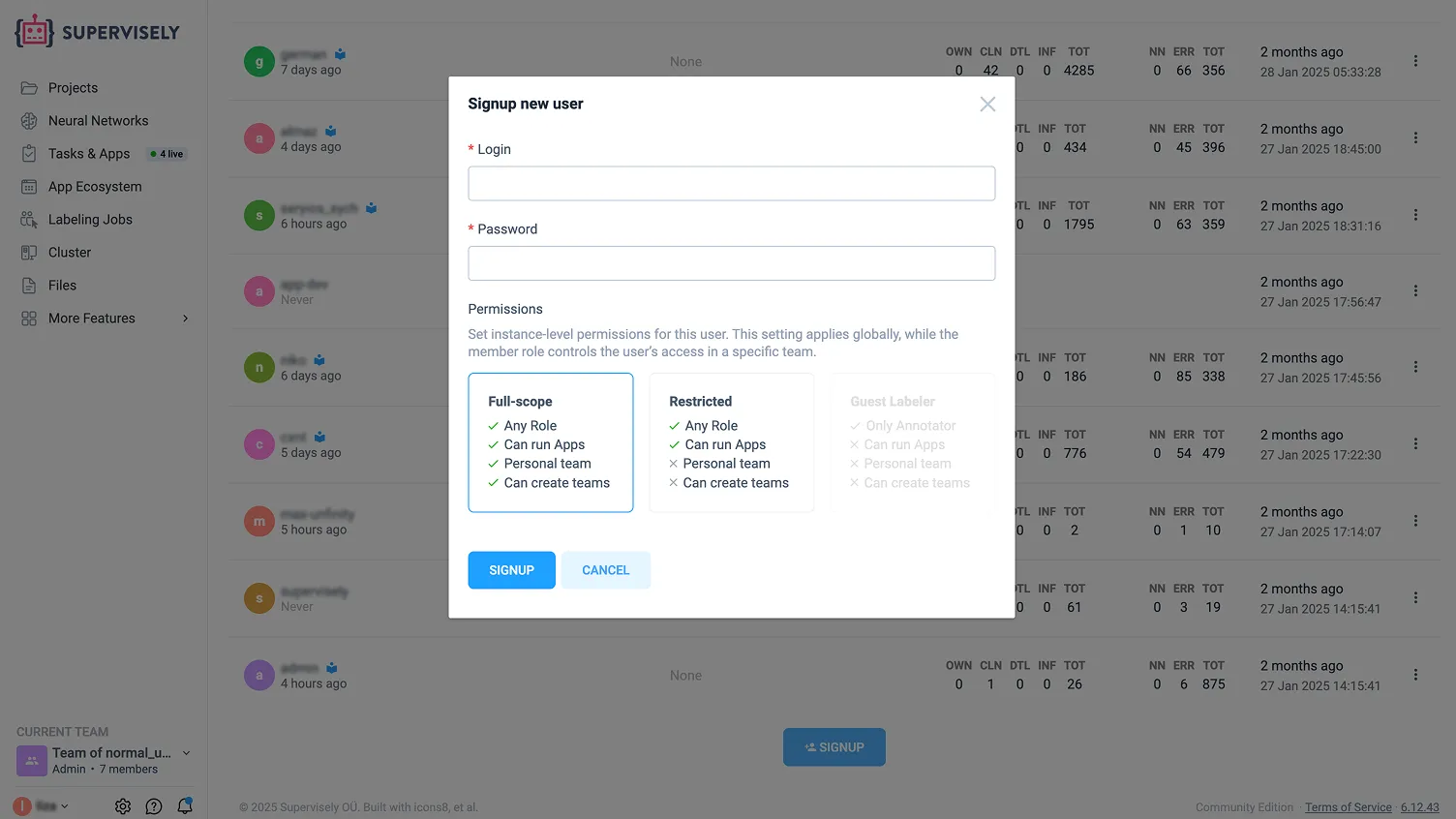
All users in one list
Login, email, datasets, tasks and registration date of every account, with filters and sorting on each column.
Permissions for the whole instance
Create accounts as Full-scope, Restricted or Guest Labeler. Restricted users get no personal team and can’t create teams; Guest Labelers can only be Annotators and can’t run apps.
Actions for each account
Edit a login or password, log in as the user to troubleshoot, make the account restricted, reset its limit of failed sign-in attempts or disable it.
Three levels of admin
The Instance SuperAdmin grants admin rights. Instance Admins manage users and instance settings but can’t make other admins. Team Admins manage only their own team.
Run Supervisely on-premise, in a private cloud or fully offline.
With the Enterprise edition, Supervisely runs inside your own network, and you control every security setting of the instance yourself.
-
Runs where your data has to stay
Install it on your own servers, in a private cloud or in a Kubernetes cluster, with no trackers built in. In offline mode, the instance, the CLI and the agents need no internet access. Online, an instance needs only a documented list of domains, so your firewall can block the rest, and it works through an HTTP proxy.
-
HTTPS your way
Turn on Let’s Encrypt in Instance settings or install your own certificates. Agents can trust your own certificate authority, and HSTS keeps browsers on HTTPS.
-
Every upload checked first
Set an upload verification URL, and every uploaded file first goes to your own service, such as a virus scanner: the upload goes through only when it answers 200 OK.
-
Private apps
Add apps from your private GitHub or GitLab repositories. They are available only on your instance.
Your data stays private, and it stays yours.
On every plan, what you upload is available only to you and the people you invite. Supervisely does not use your data or share it with anyone.
You own your data
You keep full ownership of everything you upload. Supervisely gets no rights to it beyond what the platform needs to work, and never uses it to train models.
Encrypted and hosted in the EU
Data is encrypted at rest. The Community Edition is hosted in Germany, in the EU, and an Enterprise instance keeps data wherever you deploy it.
Patient data anonymized
When you import DICOM volumes, patient names and IDs are anonymized by default, before anyone starts labeling medical images.
Faces and license plates hidden
The Anonymize Data app finds faces and car license plates in images and videos, blurs them or covers them with a solid shape, and saves the result as a new project, leaving the originals untouched.
Here’s why teams trust us.
“A very high product quality.”
BMW Group uses Supervisely to annotate manufacturing images from production lines in their world-wide plants for enhancing quality inspections using deep learning. Supervisely is integrated into the BMW Group AI Platform in order to empower computer vision based AI use cases.
 BMW Group · Manufacturing quality inspection
“Immensely grateful for their pivotal role in our work”
Working with Supervisely has significantly enhanced our capability to develop AI models for lung CT scans. What sets Supervisely apart is its exceptional support team who are really responsive and adapt to our unique needs with a range of apps and helper files.

“Helps us to do data scientist work better and faster”
We use Supervisely since 2019. The key advantage of this tool is that Supervisely provides a complete data treatment pipeline. An important advantage is that a Supervisely instance can be deployed autonomously on a Client infrastructure, and distributed on different servers.

“A valuable part of our computer vision operations”
Supervisely is a valuable part of our computer vision operations, enabling our teams to efficiently work with camera and LiDAR data across sensor fusion projects. We use Supervisely for its extensive feature set and its ability to adapt to our changing requirements.

“Extremely satisfied with Supervisely and would highly recommend it”
The review tools have been invaluable in ensuring the quality and accuracy. The Python SDK has also been incredibly helpful in automating and streamlining our workflow. The support team on Slack has been extremely helpful and responsive.

“Supervisely excels at that and much more”
We’ve been exceedingly impressed with the customer support, addition of new features, and the flexibility of the publicly available SDK/API. The Supervisely team has also been fast to respond to support questions, and has shown a lot of openness when given feedback on potential improvements.

Your team next?
Talk to a computer vision engineer about your data, your models and your infrastructure.
Book a demoFrequently asked questions.
Another question about security or compliance? Ask us directly.
Contact usDoes Supervisely support single sign-on (SSO)?
Yes, in the Enterprise edition. People sign in through LDAP or an OpenID Connect provider such as Microsoft Entra ID (formerly Azure Active Directory) or Okta. An admin sets it up in Instance settings, can turn off built-in logins so that everyone signs in through SSO, and can let in only users who already have an account. Read the SSO setup guide.
What roles and permissions does Supervisely have?
Each team member has one of six roles: Admin, Developer, Manager, Reviewer, Annotator or Viewer. The role decides what the member can see, create, edit and remove in that team, and the same person can have different roles in different teams. Enterprise adds custom roles, and instance admins can also limit what an account may do across the whole instance. See the full table of permissions.
Does Supervisely keep an audit log of user activity?
Yes. The activity log records who did what and when: sign-ins to teams, changes to projects, datasets, images, objects, classes and tags, members added or removed, exports, training and inference. You can export it to CSV or read it through the API. The full activity log is part of the Pro and Enterprise plans.
Can Supervisely run on-premise or offline?
Yes, with the Enterprise edition. It runs on your own servers, in a private cloud or in a Kubernetes cluster, or in a secure network without internet access, so your data never has to leave your infrastructure.
Who owns the data I upload, and where is it stored?
You do. You keep full ownership of everything you upload, and Supervisely does not use your data or share it with anyone. Data is encrypted at rest. The Community Edition is hosted in Germany, in the EU, and a self-hosted Enterprise instance keeps data on your own servers or in your own cloud storage.
Does Supervisely help with GDPR and HIPAA requirements?
Supervisely gives you controls these rules call for. The Community Edition is hosted in the EU, and your data is never shared. For protected health information, Enterprise keeps data on your own servers or offline, while roles, single sign-on and the activity log control and record access. DICOM imports anonymize patient names and IDs by default. Talk to us about your compliance requirements.